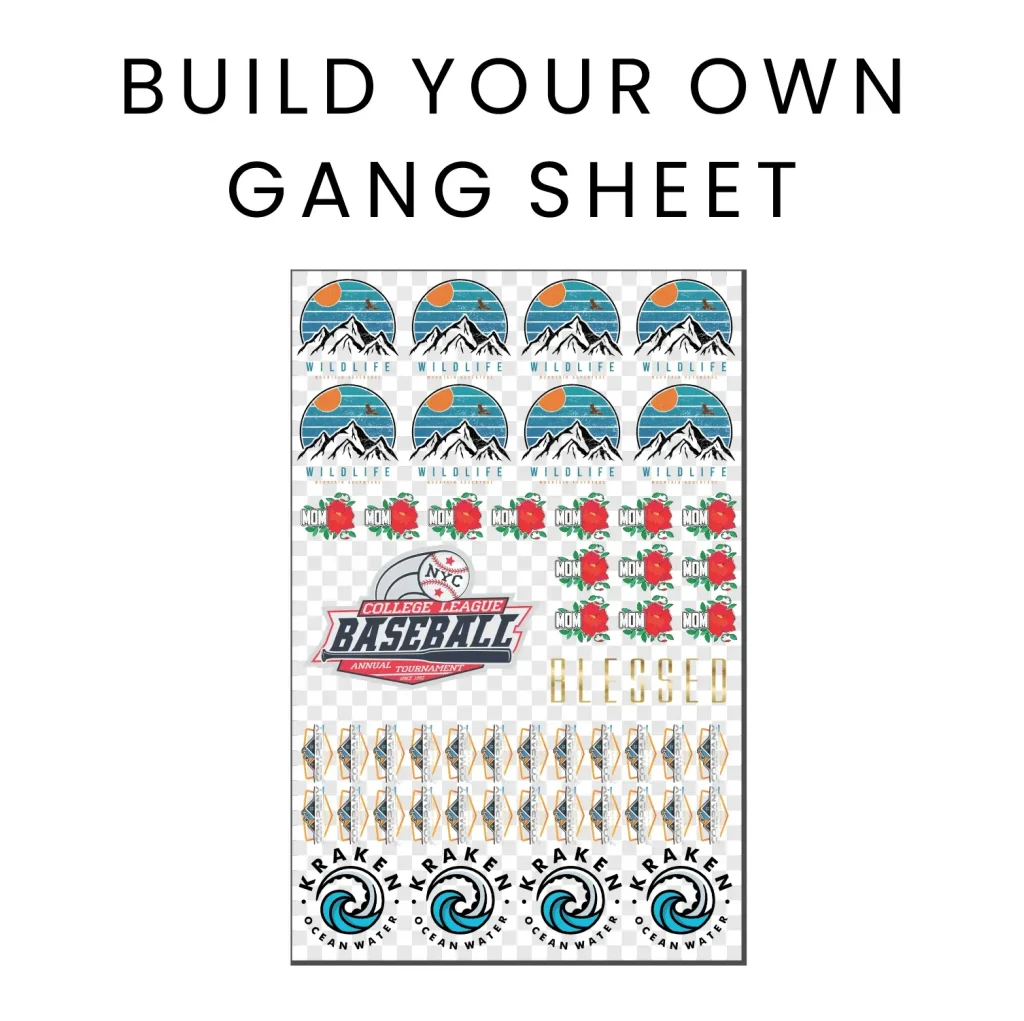
The DTF Gangsheet Builder is an innovative tool designed to revolutionize the world of custom printing. Whether you are a novice or a seasoned professional in DTF printing techniques, this builder offers unique features aimed at enhancing your printing experience. With the Smart Gangsheet Builder, users can easily create vibrant designs that minimize waste, making it a game-changer for crafting and printing enthusiasts alike. In this guide, we explore custom printing tips to help you navigate effectively through the software and maximize its potential. Join the DTF printing community as we delve into the resources and strategies to elevate your skills from beginner to expert!
Introducing the DTF Gangsheet Builder, a pivotal tool for enthusiasts in the realm of direct-to-film printing. This advanced printing software enables users to efficiently compile multiple designs onto a single sheet, optimizing material usage and reducing waste significantly. Similar to other innovative printing solutions, the Smart Gangsheet Builder features smart functions that cater to both beginner and expert users, allowing for the seamless creation of high-quality prints. By understanding effective printing strategies and leveraging community resources, users can enhance their crafting journey. Dive into the world of DTF printing and discover how this builder can transform your custom project workflow!
Mastering DTF Printing Techniques
DTF printing techniques have revolutionized the way custom prints are created, especially for crafters and small businesses seeking efficiency. By utilizing methods such as transfer films and high-quality inks, users can achieve vivid designs that stand out. The DTF printing process starts with transferring designs onto a film, which is then adhered using heat and pressure. Understanding these techniques allows for better color fidelity and durability in prints, making it essential for beginners to grasp the intricacies involved before advancing.
Moreover, mastering these techniques is vital for maximizing profitability. Beginners should familiarize themselves with color management to ensure consistent outcomes across different batches. Employing effective printing methods, such as optimizing ink settings and selecting the right transfer paper, enhances the overall quality of the product. As users progress, experimenting with different materials and finishes can lead to unique results that set your prints apart in the competitive marketplace.
Exploring Smart Gangsheet Builder Features
The Smart Gangsheet Builder is packed with features that streamline the design process for DTF printing. One of its standout features is smart nesting, which automatically arranges multiple designs on a single sheet to ensure optimal use of space and materials. This greatly reduces waste, which is crucial for maximizing profits in a small printing business. For those new to DTF printing, this means less trial and error, as the software intelligently suggests layouts that make the most of your film.
Another compelling feature of the Smart Gangsheet Builder is its intuitive design tools. These tools allow users to easily manipulate and adjust their artwork without needing advanced graphic design skills. Simple drag-and-drop functionalities combined with resizing options make it accessible for beginners, yet powerful enough for experienced users aiming for precision. By leveraging these features, users can create visually appealing designs that are efficiently printed, ensuring a high-quality finish.
Custom Printing Tips for Beginners
When diving into the world of custom printing, there are key tips that beginners should keep in mind to ensure their journey is smooth. Starting with simple designs can substantially improve your mastery over the DTF process. Focus on creating balanced designs with fewer colors initially; this helps you understand how the inks interact with the material and the heat transfer process. As you gain confidence, gradually introduce complexity to your work while maintaining quality.
Additionally, it’s beneficial to familiarize yourself with not just the DTF printing process but also the materials you are working with. Knowing which substrates yield the best results for DTF prints can save time and frustration. Experimenting with various fabrics and coatings will enhance your custom printing capabilities, allowing you to expand your offerings beyond basic designs. By consistently applying these tips, you’ll build a strong foundation for your printing pursuits.
Engaging with the DTF Printing Community
Entering the DTF printing world can be overwhelming, but engaging with the community can significantly boost your learning curve. Online forums, social media groups, and dedicated community websites are gold mines for tips and tutorials. Connecting with experienced printers not only allows you to gain insights but also fosters a sense of camaraderie within the crafting space. Many members freely share strategies, feedback, and creative solutions to common challenges, making community engagement invaluable.
Social platforms like Instagram and YouTube are particularly rich resources where creators showcase their work and provide tutorials. Following established DTF printing creators can inspire you and introduce you to new techniques. Always be open to feedback and discussions within these groups, as they can lead to innovative ways to utilize the DTF Gangsheet Builder and push the boundaries of your creativity.
Effective Prototyping Strategies with DTF Printing
Prototyping is an essential step in the custom printing process, especially when using the DTF method. Effective prototyping allows you to test your designs and assess how they translate from digital to physical products. One strategy is to print small samples of your designs using the Smart Gangsheet Builder to visualize color placement and sizing before committing to larger runs. This trial and error phase is crucial in refining your skills and ensuring the quality of your final products.
Moreover, utilizing mock-ups can save time and resources when prototyping. By creating digital mock-ups of your designs, you visualize how they will appear on various garments or products. A combination of digital and physical testing will lead to a refined product that meets your standards. As your prototyping strategies evolve, you’ll find more efficient workflows that not only save costs but also enhance your overall operation.
Step-by-Step Guide to Using the DTF Gangsheet Builder
For newcomers to DTF printing, understanding how to navigate the DTF Gangsheet Builder effectively is key to transitioning from novice to expert. Start by familiarizing yourself with the software interface, focusing on essential tools such as design uploading, nesting options, and adjustment features. A well-structured step-by-step approach to your design will make the process more manageable. Begin with uploading your designs, and experiment with the various tools to see which layouts maximize your film space.
As you become comfortable with basic functionality, delve deeper into the advanced features of the Gangsheet Builder. Experiment with adjusting dimensions, flipping designs, and exploring the preview option to check the alignment before printing. Documenting your process can also be beneficial; consider creating a checklist or tutorial that you can refer back to as you improve. This way, not only do you build efficiency, but you also create a resource for future projects.
Frequently Asked Questions
What is the DTF Gangsheet Builder and how does it work?
The DTF Gangsheet Builder is an innovative tool designed for DTF printing that allows users to combine multiple designs onto a single sheet of film. It utilizes Smart Nesting technology to efficiently arrange designs, maximizing space and print quality while minimizing waste, significantly enhancing the custom printing process.
What are the key features of the Smart Gangsheet Builder?
The Smart Gangsheet Builder includes several user-friendly features such as Smart Nesting, which automatically optimizes layout and space usage, intuitive design tools for easy manipulation, and efficiency metrics to track material usage, making it ideal for both beginners and experienced DTF printing enthusiasts.
How can I benefit from gangsheet printing techniques using the DTF Gangsheet Builder?
By utilizing gangsheet printing techniques through the DTF Gangsheet Builder, users can optimize every inch of their printing film, reducing costs associated with materials while producing vibrant, high-quality transfers. This cost-effective approach enhances profitability, especially for small businesses.
Where can I find tutorials for the DTF Gangsheet Builder?
While direct tutorials for the DTF Gangsheet Builder may not be readily available, you can find a wealth of resources in the DTF printing community. Engage with forums, social media groups, and platforms like YouTube, where experienced users often share video tutorials and tips for navigating the software.
What beginner tips should I follow when using the DTF Gangsheet Builder?
New users of the DTF Gangsheet Builder should start with simple designs to become familiar with the software. Experimenting with colors and layouts will enhance creativity, while community engagement can provide invaluable feedback and insights to improve printing skills. Remember, practice will enhance proficiency!
How can community resources enhance my experience with the DTF Gangsheet Builder?
Community resources such as forums and social media groups are essential for sharing experiences and learning new techniques related to the DTF Gangsheet Builder. By engaging with the DTF printing community, users can gather expert tips, troubleshoot issues, and discover innovative ways to enhance their custom printing projects.
| Key Point | Details |
|---|---|
| Introduction | Introducing the DTF Gangsheet Builder by DTFPrinter, launched on April 11, 2025, to simplify design and printing for all users. |
| Understanding Gangsheet Printing | A technique that compiles multiple designs onto a single sheet of film, reducing waste and increasing profitability. |
| Key Features | 1. Smart Nesting: Automatically arranges designs to maximize print quality. 2. Intuitive Design Tools: Enable easy manipulation of designs. 3. Efficiency Metrics: Track material usage for cost-effective printing. |
| Community Resources | Leverage forums and social media for tutorials and community support to enhance understanding of the Gangsheet Builder. |
| Expert Tips | Start with simple designs, experiment with colors, engage with the community, and practice to master the tool. |
Summary
DTF Gangsheet Builder is a transformational tool designed for custom printing enthusiasts aiming to elevate their skills. By streamlining the design process and enhancing material efficiency, it offers a blend of user-friendly features and community-driven support. Understanding these aspects and utilizing available resources can significantly empower users, helping them transition from beginners to proficient crafters. As you embark on your journey with the DTF Gangsheet Builder, remember that the combination of practice and engagement with fellow creators will unlock your full printing potential.